


|
Name |
DaRemote |
|---|---|
|
Google Play Link |
GET IT ON
Google Play
|
|
Category |
Communication |
|
Developer |
iDeskangel |
| Last version | 5.16.2 |
|
Updated |
|
|
Compatible with |
Android 7.0+ |
Introduction to DaRemote APK
DaRemote is a mobile server management app built for people who need quick control over remote systems from a phone. It focuses on SSH access, SFTP file handling, Docker and Podman management, and live hardware monitoring in one place. The overall idea is simple: check your server, fix small problems, and run basic tasks without opening a laptop.
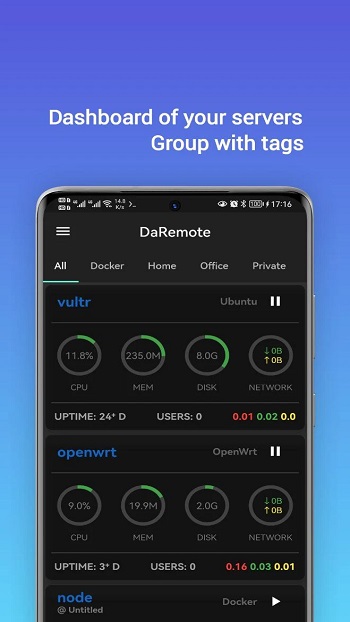
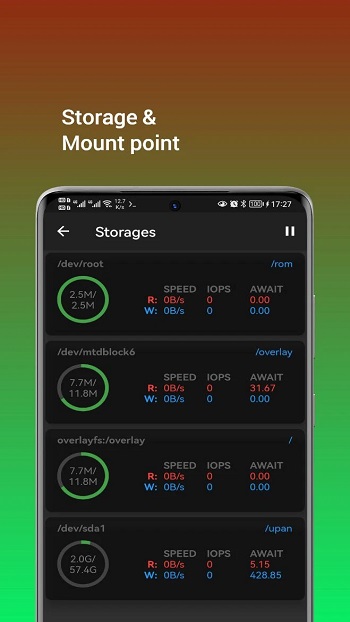
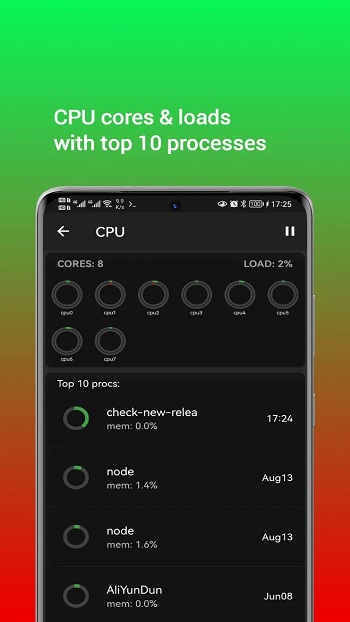
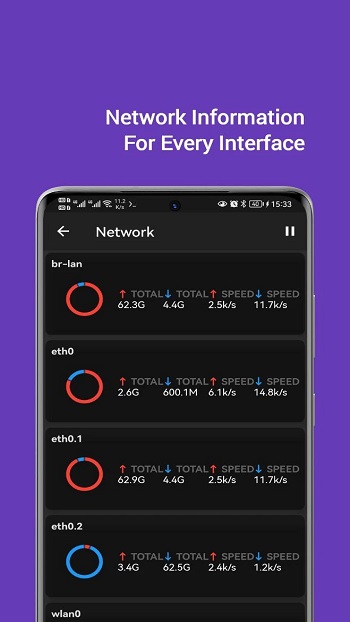
The app is mainly used to manage Linux servers, but it also supports FreeBSD, macOS, Windows, Docker, and Podman environments. You can view CPU load, memory usage, disk activity, network traffic, and active processes while you are away from your desk. That makes it handy for developers, admins, and anyone who has ever had a server decide to act weird at the worst possible moment.
A strong point of DaRemote is how much it can do without extra setup on the server side. It works through SSH and uses tools already available on the operating system, so you do not have to install agents or extra monitoring packages first. For many users, that saves time and cuts down the usual setup headache that turns a five-minute task into a full evening.
DaRemote also includes practical tools beyond monitoring. It has an SSH terminal with xterm-256 color support, SFTP features for moving and editing files, and script management for storing and running repeated commands. It also supports proxy options like SSH Tunnel, HTTP Proxy, and SOCKS5 Proxy, which helps in more restricted network setups. The app feels built for people who like having small admin tools ready in their pocket.
The main benefits are convenience and speed. You can restart a container, check disk pressure, inspect network activity, or upload a file from your phone in a few taps. Sensitive server information is described as encrypted and stored locally, which adds peace of mind for users who care about privacy. The interface also supports dark mode, light mode, and Material You, so it looks modern without trying too hard.
There are still a few limits to keep in mind. A phone screen is fine for quick checks and urgent fixes, but it is less comfortable for long terminal sessions or heavy troubleshooting. Some advanced workflows are still easier on a desktop, especially when you need multiple windows or detailed logs side by side. DaRemote fits best for developers, sysadmins, homelab users, and remote workers who want fast server access while commuting, traveling, or escaping their desk for coffee.
FAQs DaRemote
What is DaRemote APK used for?
+
DaRemote APK is used for remote server management on a phone, including SSH access, SFTP file transfers, Docker or Podman control, and live system monitoring.
Who should use DaRemote APK?
+
DaRemote APK suits developers, system administrators, DevOps users, and homelab owners who want to check or manage servers without using a computer.
Can DaRemote APK manage Docker containers?
+
Yes. DaRemote APK can view and manage Docker or Podman containers, including actions like start, restart, pause, unpause, stop, and log checks.
Does DaRemote APK need extra software installed on the server?
+
No. DaRemote APK works through SSH and uses tools already available on the operating system, so setup is lighter than many traditional monitoring tools.
Is DaRemote APK good for full-time server administration?
+
It works well for quick monitoring, light maintenance, and urgent fixes on the go. For long sessions or complex troubleshooting, a desktop setup is usually more comfortable.
Discover More Interesting Apps
-
 Mod
Mod
Snapchat
v14.29.0.50
139.11 Mb
Updated -
Watch Duty (Wildfire)
v2026.10.14
43.43 Mb
Updated -
Opera Browser
v103.0.5234.90813
222.76 Mb
Updated -
Firefox
v158.0.2
595.87 Mb
Updated -
Mod
Stickerly
v3.40.0
119.13 Mb
Updated -
Zello
v7.19.2
91.96 Mb
Updated -
Discord
v350.8 - Stable
195.61 Mb
Updated -
WhatsApp Business
v2.26.41.77
160.18 Mb
Updated -
Mod
Plus Messenger
v13.0.2.0
54 MB
Updated -
Messenger
v583.0.0.29.95
88.69 Mb
Updated










Share Your Thoughts